 English
 French
 German
 Italian
 Polish
 Russian
 Spanish
Why Is My Vape Not Charging? Common Causes and Solutions
If your vape is not charging, the problem can be frustrating, especially when the device suddenly stops working.
A vape that won’t charge may have a problem with the charging cable, charging port, power source, battery, or internal charging circuit. In some cases, the issue can be resolved with a simple check. In others, the device may need to be replaced.
This guide explains the most common reasons why a vape is not charging and what you can safely check.
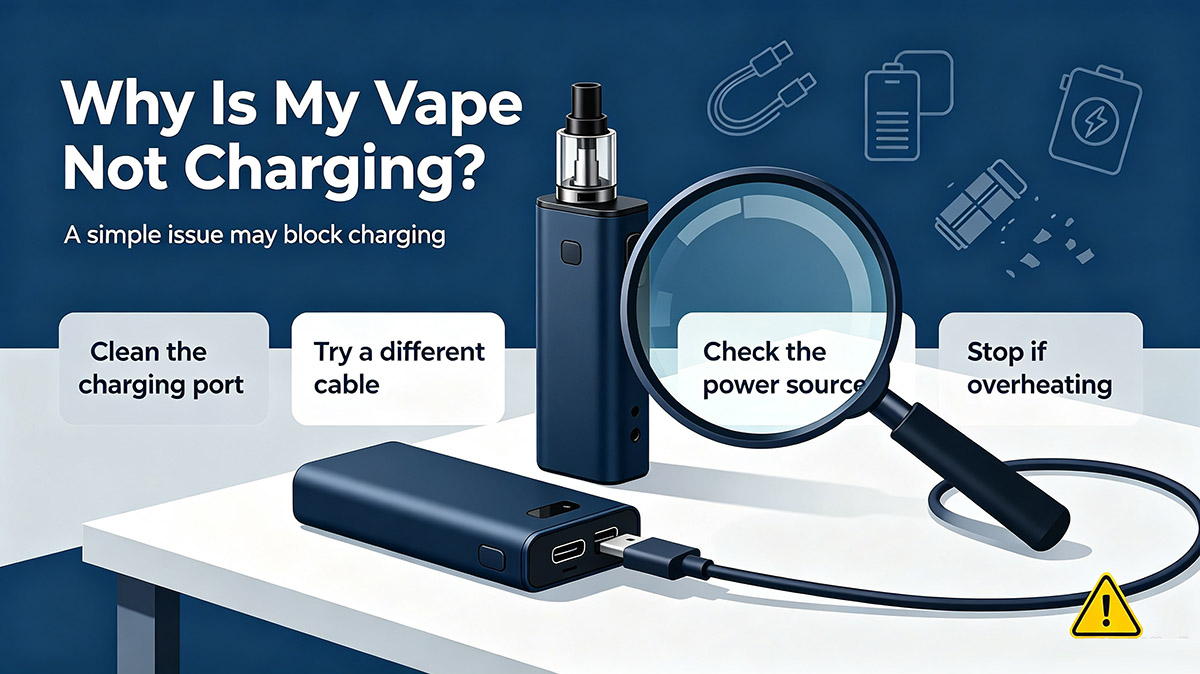
Why Is My Vape Not Charging?
The most common reasons include:
- A damaged or incompatible charging cable
- A faulty power adapter or USB port
- Dirt or debris inside the charging port
- A damaged charging port
- A depleted or damaged battery
- A device protection feature
- Internal electronic failure
- The vape is not designed to be rechargeable
Before troubleshooting, check whether your vape actually has a rechargeable battery and charging port.
Some disposable vapes are designed for single use and cannot be recharged.
1. Check Whether Your Vape Is Rechargeable
The first thing to check is whether your device is designed to be charged.
Rechargeable disposable vapes commonly include a USB Type-C or other charging port.
If there is no charging port and the product instructions do not indicate that it is rechargeable, do not attempt to modify or open the device to charge it.
If the device is designed to be disposable, it should normally be replaced when the battery or e-liquid reaches the end of its usable life.
2. Check the Charging Cable
A damaged charging cable is one of the simplest possible causes of a vape not charging.
Try checking the cable for:
- Broken connectors
- Bent pins
- Frayed wires
- Loose connections
- Visible damage
If possible, use the cable recommended by the manufacturer.
A cable that works with another device is not necessarily the correct cable for every vape, so always follow the manufacturer’s charging instructions.
3. Check the Power Source
The problem may not be the vape itself.
If your vape is not charging, try checking the power source.
Possible issues include:
- A faulty USB port
- A damaged wall adapter
- A computer USB port with insufficient power
- A loose connection
- A power source that has been turned off
Try an appropriate power source that meets the manufacturer’s specifications.
Avoid using damaged adapters, cables, or questionable charging equipment.
4. Check the Charging Port
Dust, lint, or debris can sometimes accumulate inside the charging port.
A blocked port may prevent the charging cable from making proper contact.
Inspect the port carefully under good lighting.
If there is visible debris, follow the manufacturer’s cleaning instructions. Do not insert sharp metal objects into the charging port, as this could damage the device or create a safety hazard.
If the port appears bent, loose, or damaged, stop using the device and contact the manufacturer or retailer.
5. Check the Charging Indicator
Many rechargeable vapes have an LED indicator or display that shows charging status.
Depending on the model, the indicator may:
- Light up when charging
- Blink during charging
- Change color when fully charged
- Display a battery percentage
If there is no charging indicator at all, check the cable, power source, and charging connection.
However, indicator behavior varies between manufacturers, so check the product manual for the exact meaning.
6. The Battery May Be Completely Depleted
If the battery has been completely drained, the device may not show an immediate response when connected to a charger.
Connect the device using the recommended charging equipment and follow the manufacturer’s instructions.
Do not repeatedly connect and disconnect the device or leave it charging for an excessive period in an attempt to force it to start.
If the device does not respond after the recommended charging procedure, the battery or charging circuit may have a problem.
7. The Battery May Be Damaged
Lithium-ion batteries can become damaged by:
- Physical impact
- Extreme temperatures
- Water or moisture
- Overheating
- Improper charging
- Manufacturing defects
A damaged battery should not be used or charged.
If your vape is swollen, leaking, unusually hot, physically damaged, or producing an unusual smell, stop using it immediately.
Do not attempt to open the device or replace the internal battery yourself.
8. The Vape May Have an Internal Charging Problem
If you’ve checked the cable, power source, charging port, and battery condition but the device still will not charge, there may be an internal problem.
Possible causes include:
- Damaged charging circuit
- Faulty battery connection
- Internal component failure
- Manufacturing defect
For a new vape that has never charged correctly, contact the retailer or manufacturer.
For an older disposable vape, replacement may be more practical than repair.
How to Fix a Vape That Won’t Charge
Try this simple troubleshooting process:
Step 1: Confirm the device is rechargeable
Check the product packaging or manufacturer’s instructions.
Step 2: Inspect the charging cable
Look for visible damage and make sure the connector fits properly.
Step 3: Check the power source
Try an appropriate power source recommended by the manufacturer.
Step 4: Inspect the charging port
Make sure there is no visible dirt, lint, or physical damage.
Step 5: Check the charging indicator
Look for any LED or display response.
Step 6: Stop if the device becomes abnormal
If the vape becomes hot, swollen, damaged, or starts leaking, disconnect it and stop using it.
Step 7: Contact the manufacturer or replace the device
If basic troubleshooting does not solve the problem, do not attempt to dismantle the vape.
Why Is My Disposable Vape Not Charging?
If you have a rechargeable disposable vape, the same troubleshooting steps generally apply.
Check:
- USB Type-C cable
- Charging port
- Power source
- Charging indicator
- Battery condition
- Manufacturer instructions
However, some disposable vape models may have a non-rechargeable battery. Always confirm the specifications of the specific product before attempting to charge it.
How Long Does a Vape Take to Charge?
Charging time varies by device.
It depends on factors such as:
- Battery capacity
- Charging technology
- Charging current
- Battery condition
- Device design
Some smaller rechargeable vapes may charge relatively quickly, while larger devices can take longer.
Instead of relying on a general charging time, follow the manufacturer’s recommended charging instructions.
How to Prevent Vape Charging Problems
Proper use and storage can help reduce charging problems.
Use the recommended charging equipment
Use the charging cable and power source specified by the manufacturer.
Keep the charging port clean
Protect the charging port from dust, moisture, and debris.
Avoid extreme temperatures
Do not store or charge your vape in excessively hot or cold environments.
Protect the device from physical damage
Avoid dropping, crushing, puncturing, or modifying the vape.
Don’t charge a damaged vape
Never attempt to charge a device that is swollen, leaking, cracked, or unusually hot.
Follow the manufacturer’s instructions
Different vape models use different batteries and charging systems, so always follow the product-specific instructions.
When Should You Replace a Vape That Won’t Charge?
Consider replacing the device if:
- It no longer charges after basic troubleshooting.
- The battery is damaged.
- The charging port is broken.
- The device has significant physical damage.
- The vape is leaking or swollen.
- It becomes unusually hot while charging.
- The product has reached the end of its usable life.
For disposable products, repairing or replacing internal batteries is generally not recommended for consumers.
Frequently Asked Questions
Why is my vape not charging but the charger works?
The issue may be the vape’s charging port, battery, internal charging circuit, or a connection problem. Check the charging port and manufacturer’s recommended charging equipment first.
Why is my vape not charging or turning on?
A completely depleted battery, damaged battery, charging problem, or internal electronic failure could be responsible.
Why is my disposable vape not charging?
First check whether the disposable vape is actually rechargeable. If it has a charging port, inspect the cable, power source, charging port, and indicator. If it still does not charge, contact the manufacturer or replace the device.
Can I charge a disposable vape without a charging port?
No. Do not attempt to modify a non-rechargeable vape or connect wires directly to its battery.
Can I use a different charger for my vape?
Only use charging equipment that is compatible with the device and recommended by the manufacturer. Using unsuitable charging equipment can damage the battery or device.
Is it safe to charge a vape overnight?
Follow the manufacturer’s charging instructions. Avoid charging a vape unattended or in an unsafe location, and disconnect it according to the manufacturer’s guidance.
Final Thoughts
If you’re wondering “Why is my vape not charging?”, start with the basics: check whether the device is rechargeable, inspect the cable and power source, examine the charging port, and check the charging indicator.
If the vape is damaged, swollen, leaking, unusually hot, or otherwise abnormal, stop using it and do not attempt to repair or charge it.
For a product that is new or still under warranty, contacting the manufacturer or retailer is usually the best option. For disposable vapes that have reached the end of their usable life, responsible replacement and disposal are generally preferable to attempting a DIY repair.